⚙ Configuration
In this section we will make possible downloading satellite data.
Getting API credentials
info
If you don't have Sentinel Hub account, sign up.
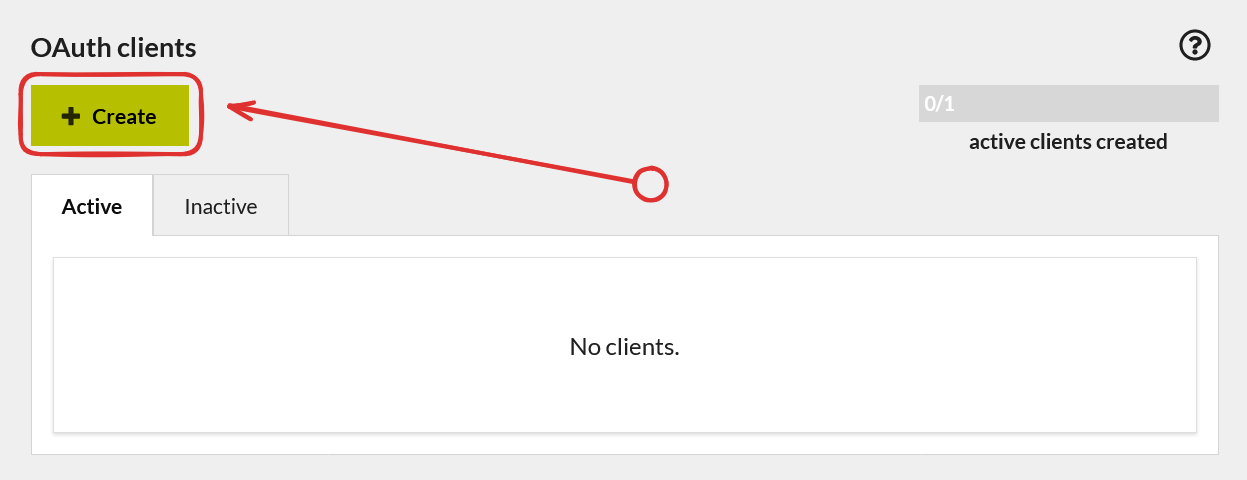
- Press
Createbutton inOAuth clientssection.
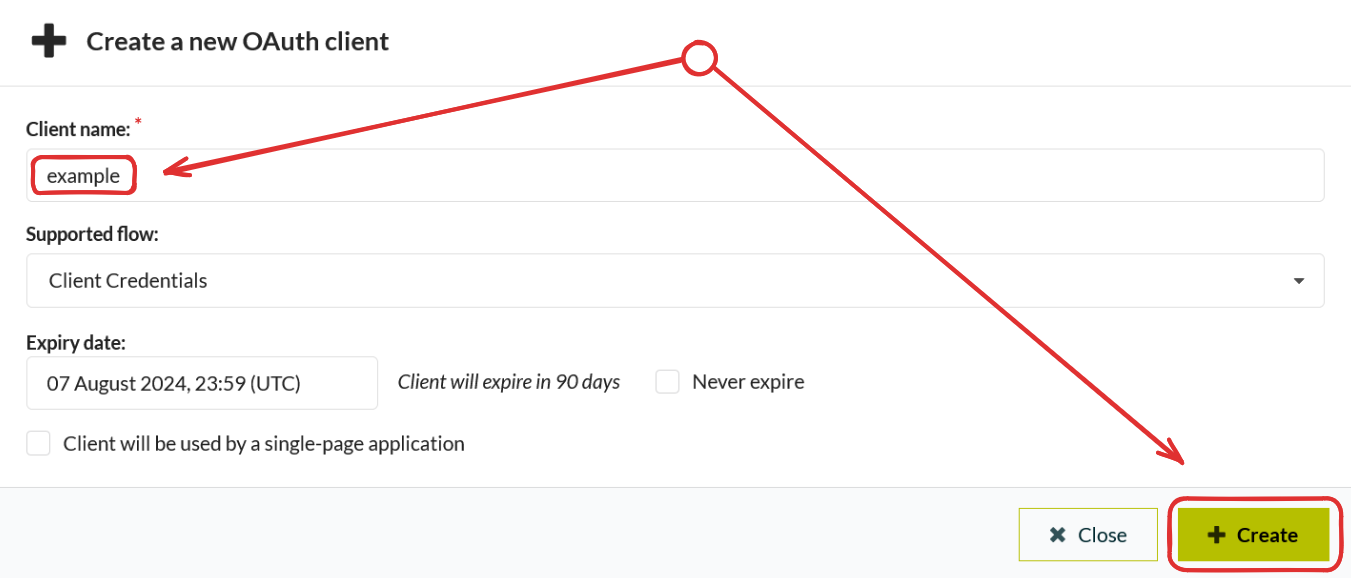
- Choose a client name and press the
Createbutton again.
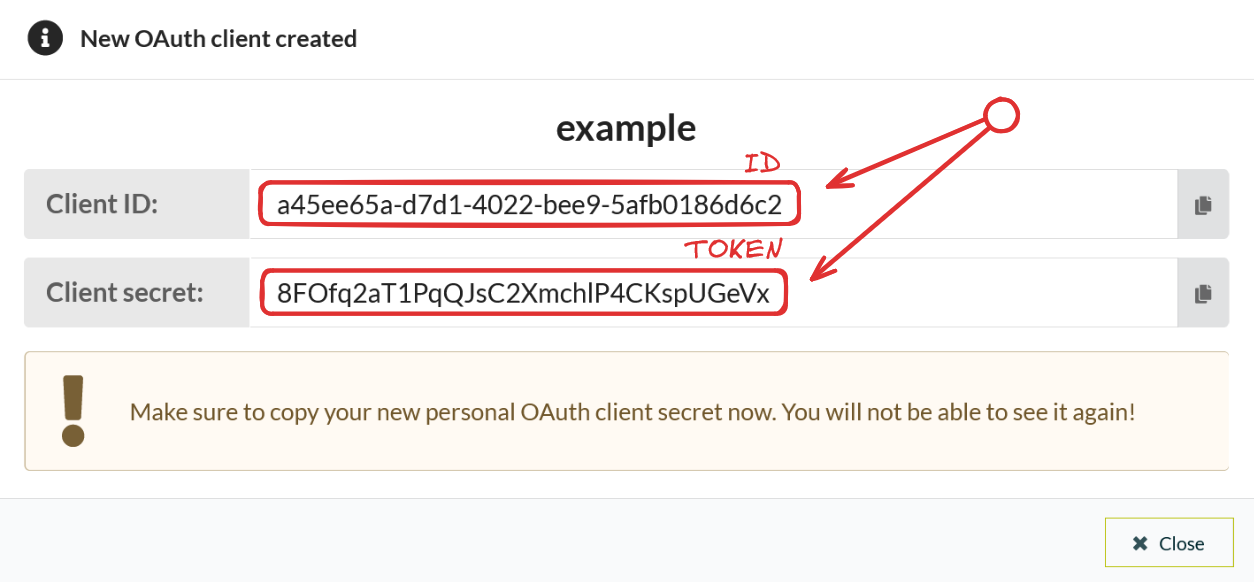
- Save
IDandTOKEN(this is the only data we need).
danger
You will never be able to view your token again. Make sure you saved it.
- Now in the settings you can see that we created credentials successfully.

Providing credentials
info
This part is only for those who want to change credentials or didn't configure fguard before.
Next step is telling fguard ID and TOKEN. You can do it in two ways.
Inline providing
Just run:
fguard config --id "<ID>" --token "<TOKEN>"
Using settings file
You need to create settings.toml file:
[config]
id = "<ID>"
token = "<TOKEN>"
After that run:
fguard config --file "<path/to/settings.toml>"
Now you are ready to create your first request.